Introduction
Managing student admissions can be challenging for schools, especially during the busy admission season. From collecting application forms and verifying documents to scheduling interviews and confirming enrollments, the process often involves multiple administrative tasks.
When these activities are handled manually, schools may face paperwork, duplicate data entry, communication delays, and difficulty tracking applications.
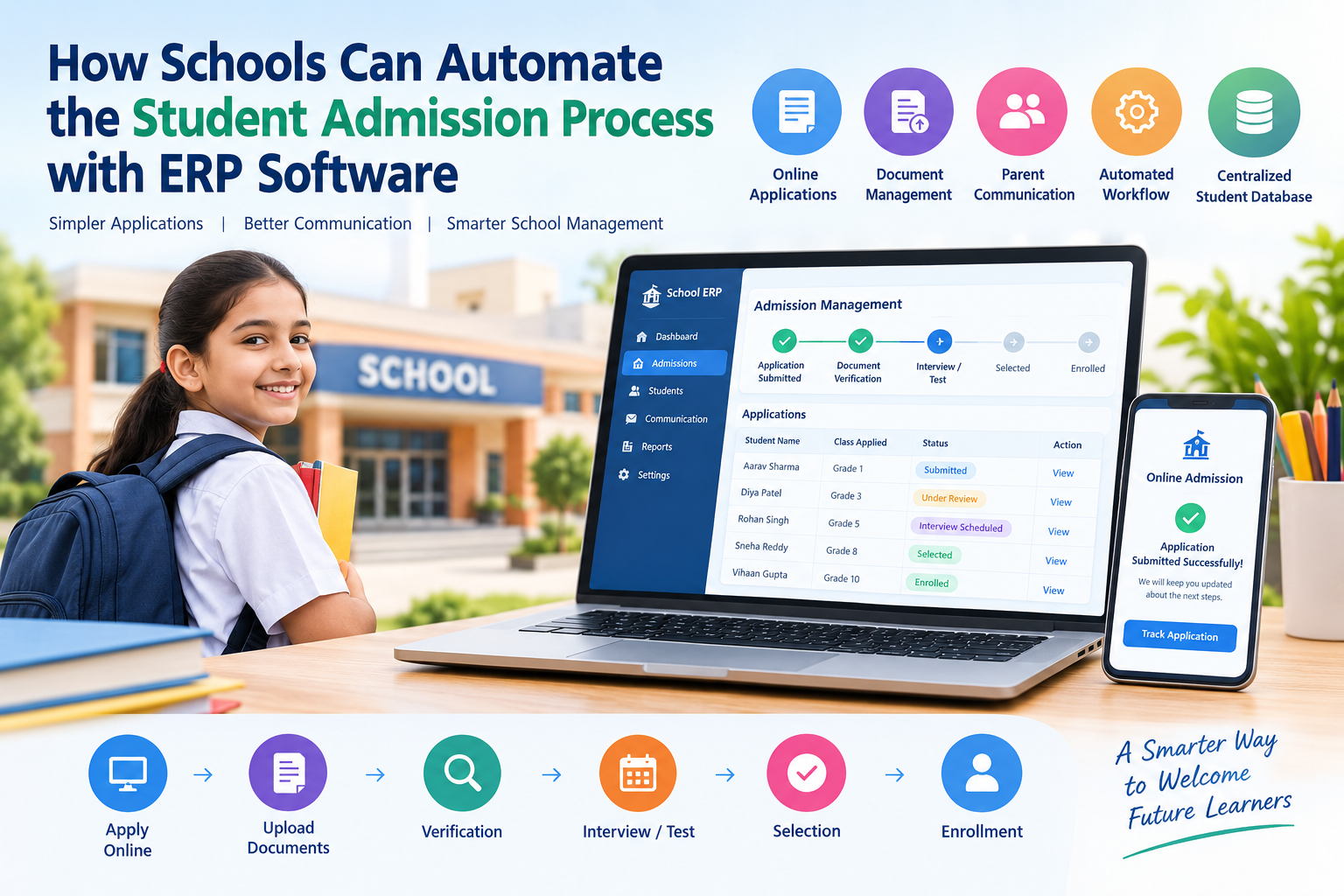
A school ERP software can simplify this entire process by bringing admission-related activities into one centralized system. With automation, schools can manage applications, student information, documents, communication, and enrollment more efficiently.
In this blog, we will explore how schools can automate the student admission process with ERP software and the benefits it can provide to administrators, teachers, parents, and students.
Table of Contents
- What Is Student Admission Process Automation?
- Challenges of Managing Admissions Manually
- How School ERP Software Automates Admissions
- Key Features of an Automated Admission System
- Benefits of Automating the Student Admission Process
- How ERP Improves Parent Communication
- How Schools Can Reduce Admission Errors
- How ERP Helps Track Admission Applications
- Steps to Implement Admission Automation
- Why Schools Should Consider ERP-Based Admission Management
- Conclusion
- Frequently Asked Questions
1. What Is Student Admission Process Automation?
Student admission process automation means using digital tools and software to manage admission activities with minimal manual intervention.
Instead of maintaining paper forms, spreadsheets, separate files, and manual registers, schools can use an ERP system to manage the admission journey from application to enrollment.
A typical automated admission process may include:
- Online admission applications
- Student registration
- Document collection
- Application verification
- Admission status tracking
- Entrance test or interview scheduling
- Parent communication
- Student selection
- Fee information
- Final enrollment
- Student database creation
This creates a more organized and transparent admission workflow.
2. Challenges of Managing Admissions Manually
Traditional admission processes can consume significant time and administrative resources.
Common challenges include:
Paperwork:
Schools may need to manage large numbers of physical application forms and supporting documents.
Duplicate Data Entry:
Staff may have to enter the same student information into multiple systems or spreadsheets.
Difficulty Tracking Applications:
It can become difficult to identify which applications are pending, verified, approved, or rejected.
Communication Delays:
Parents may need to contact the school repeatedly to know the status of their application.
Data Entry Errors:
Manually entering names, contact details, academic information, and other data can lead to mistakes.
Limited Reporting:
Preparing admission reports manually can take considerable time.
A school ERP can address many of these challenges by creating a centralized admission workflow.
3. How School ERP Software Automates Admissions
A modern school ERP software can connect different stages of the admission process in a single platform.
Step 1: Online Application
Parents can fill out an admission application online using a web-based form.
The school can collect information such as:
- Student name
- Date of birth
- Parent details
- Contact information
- Previous school details
- Academic information
- Address
- Required documents
This reduces the dependency on physical forms.
Step 2: Centralized Student Information
Once an application is submitted, the information can be stored in a centralized database.
Authorized school staff can access the required information without searching through multiple files.
Step 3: Document Management
Schools can collect and organize documents digitally.
Depending on the school's requirements, these may include:
- Birth certificate
- Previous school records
- Transfer certificate
- Address proof
- Passport-size photograph
- Identification documents
This makes document verification easier to manage.
Step 4: Application Verification
Admission staff can review submitted applications and update their status.
For example:
Submitted → Under Review → Documents Verified → Interview/Test → Selected → Enrolled
This provides a clear view of the admission pipeline.
Step 5: Interview and Test Scheduling
If the school conducts entrance tests or interviews, the ERP system can help administrators organize schedules and maintain records.
Parents can also receive relevant information regarding dates and timings.
Step 6: Admission Confirmation
Once a student is selected, the school can update the admission status and proceed with enrollment.
Student information can then be transferred into the school's main student database, reducing repeated data entry.
4. Key Features of an Automated Admission System
When choosing an ERP for schools, administrators should look for features that support the complete admission workflow.
Online Admission Forms
Parents can submit applications digitally instead of visiting the school to collect and submit physical forms.
Application Tracking
Admission teams can monitor applications based on their current status.
Document Upload
Parents can upload required documents through the online admission portal.
Automated Notifications
The system can support notifications regarding application updates, interviews, tests, and admission confirmation.
Student Database
Once admission is completed, student information can be maintained in a centralized database.
Reports and Analytics
School administrators can generate reports to understand admission activity and application status.
Role-Based Access
Different users can be given appropriate access based on their responsibilities.
Fee Integration
Where supported, admission-related fees can be connected with the school's fee management workflow.
5. Benefits of Automating the Student Admission Process
Automating admissions can provide several operational benefits to schools.
1. Saves Administrative Time
Staff can spend less time on repetitive tasks such as manual data entry, searching files, and updating spreadsheets.
2. Reduces Paperwork
Digital forms and document uploads can reduce the need for physical paperwork.
3. Improves Data Accuracy
Using centralized digital records can reduce errors caused by repeated manual entry.
4. Provides Better Application Tracking
Administrators can quickly check the current status of applications.
5. Improves Parent Experience
Parents can submit applications and receive updates without having to contact the school for every small update.
6. Creates a Centralized Database
Student information can be maintained in an organized digital environment.
7. Makes Reporting Easier
Administrators can access admission-related reports without manually combining information from different files.
8. Improves Administrative Efficiency
By automating repetitive activities, school staff can focus more on important administrative and student-related responsibilities.
6. How ERP Improves Parent Communication
Communication is an important part of the admission process.
Parents want timely information about their child's application. An ERP system can help schools organize communication throughout the admission journey.
For example, schools can provide updates about:
- Application submission
- Missing documents
- Verification status
- Entrance examination
- Interview schedules
- Selection status
- Admission confirmation
- Fee-related information
Depending on the ERP's available integrations, schools may communicate through email, SMS, notifications, or other supported channels.
This can reduce unnecessary phone calls and improve communication between schools and parents.
7. How Schools Can Reduce Admission Errors
Manual admission processes can increase the possibility of incorrect or incomplete information.
For example, a staff member may accidentally enter an incorrect phone number or duplicate a student record.
ERP software can help reduce such problems through:
- Required fields
- Digital forms
- Validation rules
- Centralized student records
- Document verification workflows
- Duplicate record checks
- Standardized admission procedures
Although no software can eliminate every human error, a structured digital workflow can make errors easier to identify and correct.
8. How ERP Helps Track Admission Applications
One of the biggest advantages of an automated admission system is visibility.
Instead of maintaining separate spreadsheets, administrators can view applications according to their status.
For example:
| Admission Stage | Application Status |
|---|---|
| New Application | Submitted |
| Document Review | Under Verification |
| Entrance Test | Scheduled |
| Interview | Pending |
| Selection | Approved |
| Enrollment | Completed |
This allows admission teams to identify pending applications and take action quickly.
9. Steps to Implement Admission Automation
Schools planning to automate their admission process can follow a structured approach.
Step 1: Identify Current Admission Challenges
First, identify where the existing process is consuming the most time or creating errors.
Step 2: Define Admission Requirements
List the information, documents, tests, interviews, and approvals required for admission.
Step 3: Select Suitable ERP Software
Choose a school ERP that supports the admission features required by your institution.
Step 4: Configure the Admission Workflow
Set up application forms, verification stages, notifications, user roles, and approval processes.
Step 5: Train Administrative Staff
Provide training so staff members understand how to use the admission module effectively.
Step 6: Test the Process
Before launching, test the complete workflow from application submission to enrollment.
Step 7: Monitor and Improve
After implementation, review the admission process regularly and make improvements based on staff and parent feedback.
10. Why Schools Should Consider ERP-Based Admission Management
A school admission process involves multiple people, documents, deadlines, and communication activities. Managing all these activities manually can become increasingly difficult as the number of applications grows.
An ERP-based admission system provides a centralized way to organize these activities.
With the right school ERP software, schools can create a structured admission workflow that connects applications, documents, communication, verification, and enrollment.
The goal is not simply to replace paper with software. The bigger advantage is creating a more organized, trackable, and efficient admission process.
11. Conclusion
The student admission process is one of the most important administrative activities in a school. When managed manually, it can involve considerable paperwork, repetitive data entry, and communication challenges.
By using ERP software for schools, institutions can automate many admission activities, including online applications, document collection, application tracking, communication, verification, and enrollment.
A well-implemented school admission management system can help administrators save time, maintain organized records, reduce repetitive work, and provide parents with a more convenient admission experience.
As schools continue to adopt digital solutions, automating the student admission process can become an important step toward more efficient school management.
12. Frequently Asked Questions
What is a student admission management system?
A student admission management system is software that helps schools manage admission activities such as applications, document verification, student selection, communication, and enrollment.
How does ERP software automate school admissions?
School ERP software can automate online applications, document collection, application tracking, notifications, verification workflows, and student enrollment.
Can parents apply for admission online?
Yes. Many school ERP systems provide online admission forms through which parents can submit student details and required documents.
Does ERP reduce admission paperwork?
Yes. Digital forms, online document uploads, and centralized records can reduce the need for physical paperwork.
Can ERP software track admission applications?
Yes. Depending on the system, administrators can track applications based on stages such as submitted, under review, verified, selected, or enrolled.
Is school ERP useful for small schools?
Yes. The suitability depends on the school's requirements, number of students, administrative workflow, and the features offered by the ERP system.